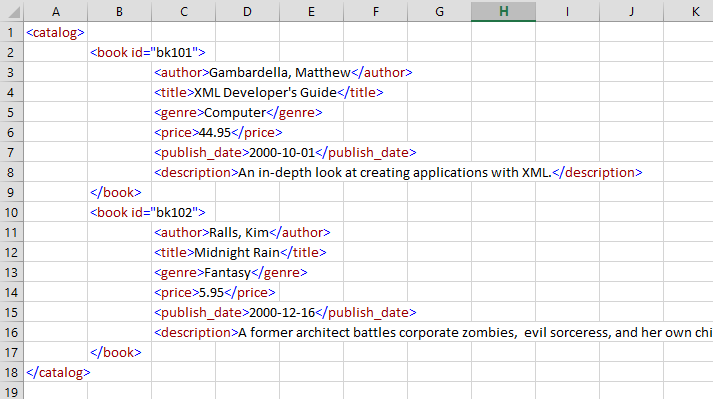
In this post I read an Mpeg (.MP4) file and write the results to an Xml file using VBA (and a little help from Python).
So this is a rewrite, previously I wrote this program and used user defined types to record the state but I was unhappy with this because I would have needed to write a load of gui code. In this rewrite I record the results to an Xml document and then let some xml pretty printing code place each element of a separate line nicely tabbed, I delivered this code in the previous blog post.
I don't have much to add, either you have a requirement to inspect mp4 files or you don't. There is little point me explaining mp4 files to those uninterested and uninitiated.
Source Modules
Firstly, the Python module which I needed for long numbers, this is to be called PythonBigNumbersComServer.py and needs to be run from the command line so that the COM class is registered (this needs administrator rights, so expect an elevation request if not running as adminstrator).
PythonBigNumbersComServer.py
import pythoncom

class PythonBigNumbersComServer:
    _reg_progid_ = "PythonInVBA.PythonBigNumbersComServer"
    _reg_clsid_ = "{5AD66FCC-EFFC-4A78-B5B6-9A42C523272E}"
    _public_methods_ = ['LongByteArrayToDecimalString']

    def LongByteArrayToDecimalString(self, bytes):
        ret = 0
        for byte in bytes:
            print(byte)
            ret = ret * 256 + byte
        return str(ret)

if __name__ == '__main__':
    import win32com.server.register

    win32com.server.register.UseCommandLine(PythonBigNumbersComServer)


    try:
        import win32com.client
        bigNumbers = win32com.client.Dispatch("PythonInVBA.PythonBigNumbersComServer")
        #bigNumbers = PythonBigNumbersComServer()
        x = bytes('01', 'utf8')
        print(x)

        asDecimal = bigNumbers.LongByteArrayToDecimalString(x)
        print('asDecimal:' +  asDecimal)

    except Exception as e:
        print("Error : " + str(e) + "\n")
Next is the modXmlReports module given in the previous blog post.
Okay from here on all the code is VBA. So next is the DefinedSymbols class
DefinedSymbols Class
Option Explicit

'**********************************************************************************************************
'* Class Name: DefinedSymbols
'* Copyright exceldevelopmentplatform.blogspot.com 2nd November 2019
'*
'* Requires Tools Reference
'*  Microsoft Scripting Runtime
'*
'* Description:
'*  This class collaborates with modVLCSourceProcessor to read VLC Media Player C++ source file on github and
'*  scrapes four character codes identifiers found in mp4 files, such as moov, trak, trhd etc.
'*  The class then stores the results and services requests for atom identification whilst parsing an mp4 file
'*
'* Notes:
'*  we have to categorise the identifiers into Brand, Atom, Handler and SampleGroup because otherwise we will
'*  get duplicates, this is why we have a nested dictionary to store the data.  The main code is only interested
'*  in atoms, however.
'*
'*  Also, for each category, we maintain a map each way, i.e. two maps, because the four character codes can
'*  contain special characters which are not valid in C++ source code identifiers.
'*  This is a pain, but it is handled.
'*
'*  To hide this complex state housing I invented this class
'*
'**********************************************************************************************************

Private mdicMaps As New Scripting.Dictionary


'*********************************************************************************************************
'* Name:        AddMapEntry
'* Description: Abstracts the storage of categorise defined symbols maps.  This for loading
'*              the store of information.
'*********************************************************************************************************

Public Function AddMapEntry(ByVal sMap As String, ByVal sKey As String, ByVal sValue As String, ByVal sSourceLine As String) As Variant

    Dim vMaps As Variant
    vMaps = GetCategoryMap(sMap)
    Debug.Assert IsArray(vMaps)

    Dim dicMap As Scripting.Dictionary
    Set dicMap = vMaps(0)

    Dim dicMapReverse As Scripting.Dictionary
    Set dicMapReverse = vMaps(1)

    If Not dicMap.Exists(sKey) Then
        dicMap.Add sKey, sValue

        If Not dicMapReverse.Exists(sValue) Then
            dicMapReverse.Add sValue, sKey
        Else
            Debug.Print "duplicate item in line:" & sSourceLine
        End If

    Else
        If dicMap.Item(sKey) <> sValue Then
            Debug.Print "Symbol " & sKey & " defined twice to two different values (" & dicMap.Item(sKey) & "," & sValue & "):" & sSourceLine
        End If
    End If

End Function


'*********************************************************************************************************
'* Name:        LookupMapEntry
'* Description: Abstracts the storage of parent-child relationships in nested dictionaries.  This for loading
'*              the store of information.
'*********************************************************************************************************

Public Function LookupMapEntry(ByVal sMap As String, ByVal sKey As String, ByVal bReverse As Boolean) As Variant
    Dim vMaps As Variant
    vMaps = GetCategoryMap(sMap)
    Debug.Assert IsArray(vMaps)

    If bReverse Then
        Dim dicMap As Scripting.Dictionary
        Set dicMap = vMaps(1)
    Else
        Set dicMap = vMaps(0)
    End If


    If dicMap.Exists(sKey) Then
        LookupMapEntry = dicMap.Item(sKey)
    End If


End Function


Private Function GetCategoryMap(ByVal sMap As String)
    Dim dicMap As Scripting.Dictionary
    Dim dicMapReverse As Scripting.Dictionary
    Dim vMaps As Variant
    If Not mdicMaps.Exists(sMap) Then
        Set dicMap = New Scripting.Dictionary
        dicMap.CompareMode = BinaryCompare

        Set dicMapReverse = New Scripting.Dictionary
        dicMapReverse.CompareMode = BinaryCompare

        vMaps = Array(dicMap, dicMapReverse)

        mdicMaps.Add sMap, vMaps

    Else
        vMaps = mdicMaps.Item(sMap)
    End If
    GetCategoryMap = vMaps
End Function

Private Sub Class_Initialize()
    mdicMaps.CompareMode = BinaryCompare
End Sub
Next is the BoxFunctionTable class
BoxFunctionTable class
Option Explicit

'**********************************************************************************************************
'* Class Name: BoxFunctionTable
'* Copyright exceldevelopmentplatform.blogspot.com 2nd November 2019
'*
'* Requires Tools Reference
'*  Microsoft Scripting Runtime
'*
'* Description:
'*  This class collaborates with modVLCSourceProcessor to read VLC Media Player C++ source file on github and
'*  scrapes parent-child relationships between atoms defined in the box function block of code
'*  The class then stores the results and services requests for possible children atoms for a given parent
'*
'*  To hide this complex state housing I invented this class
'*
'**********************************************************************************************************

Private mdicChildrenOfParents As New Scripting.Dictionary

'*********************************************************************************************************
'* Name:        RecordAParentsPotentialChild
'* Description: Abstracts the storage of parent-child relationships in nested dictionaries.  This for loading
'*              the store of information.
'*********************************************************************************************************
Friend Function RecordAParentsPotentialChild(ByVal sParentAtom As String, ByVal sChildAtom As String)

    Dim dicChildrenOfAParent As Scripting.Dictionary
    If Not mdicChildrenOfParents.Exists(sParentAtom) Then
        Set dicChildrenOfAParent = New Scripting.Dictionary
        mdicChildrenOfParents.Add sParentAtom, dicChildrenOfAParent
    Else
        Set dicChildrenOfAParent = mdicChildrenOfParents.Item(sParentAtom)
    End If

    Debug.Assert Not dicChildrenOfAParent.Exists(sChildAtom)
    dicChildrenOfAParent.Add sChildAtom, Empty

End Function

'*********************************************************************************************************
'* Name:        RecordAParentsPotentialChild
'* Description: For a given parent atom will return a list (ass Dictionary) of potential child atoms.
'*              This for reading the store of information.
'*********************************************************************************************************
Public Function ChildrenOfAParentAsADictionary(ByVal sParentAtom As String) As Scripting.Dictionary
    'Debug.Assert mdicChildrenOfParents.Exists(sParentAtom)
    If mdicChildrenOfParents.Exists(sParentAtom) Then
        Set ChildrenOfAParentAsADictionary = mdicChildrenOfParents.Item(sParentAtom)
    Else
        Set ChildrenOfAParentAsADictionary = New Scripting.Dictionary
    End If
End Function

'*********************************************************************************************************
'* Name:        AddBoxFunction
'* Description: A wrapper to RecordAParentsPotentialChild; this is called whilst reading
'*              the VLC C++ source code
'*********************************************************************************************************
Public Function AddBoxFunction(ByVal sAtom As String, ByVal sFunctionName As String, _
        ByVal sParentAtom As String, ByVal sSrcLine As String) As Variant

    Dim sAtom2 As String, sParentAtom2 As String
    sAtom2 = AtomFourCC(sAtom)
    sParentAtom2 = AtomFourCC(sParentAtom)

    Call RecordAParentsPotentialChild(sParentAtom2, sAtom2)

End Function

Private Function AtomFourCC(ByVal sAtom As String) As String
    '* this strips the identifier of leading prefixes to give
    '* the core four character identifier
    If sAtom = "0" Then
        AtomFourCC = ""
    Else
        Debug.Assert Left$(sAtom, 5) = "ATOM_"
        AtomFourCC = Mid$(sAtom, 6)
    End If
End Function
That is the classes done. So now three more modules. Next is the modVLCSourceProcessor module
modVLCSourceProcessor module
Option Explicit
Option Private Module

'***********************************************************************************
'* Module Name: modVLCSourceProcessor
'* Copyright exceldevelopmentplatform.blogspot.com 2nd November 2019
'*
'* Other class and module dependencies:
'*  BoxFunctionTable, DefinedSymbols
'*
'* Description:
'*  This modules reads the VLC Media Player C++ sources file on github and scrapes
'*  (1) four character codes identifiers found in mp4 files, such as moov, trak, trhd etc.
'*  (2) parent-child relationships between atoms defined in the box function block of code
'*
'* Other comments:
'*  Ordinarily requires internet access to call out to github, to get the files
'*  (a) modules\demux\libmp4.h  and
'*  (b) modules\demux\libmp4.c
'*  however it is possible to work with a local copies
'*  copy in libmp4.h and libmp4.c into a module in this workbook called srcLibMp_h and srcLibMp_c
'*  please comment it out the code (it is C++ and so will not compile obvs)
'*  then add a conditional compilation constant VLCLOCAL=1
'***********************************************************************************

'*********************************************************************************************************
'* Name:        ReadVLCSource
'* Description: This module's sole entry point.  Call here to read the VLC media player source files from github.
'*              Plus we added some extra parent-child realtionships not found in VLC media player source.
'*
'* Returns    : an instance of BoxFunctionTable class which can service requests regarding parent-child
'*              relationships and an instance of DefinedSymbols class which can service requests regarding symbols
'*********************************************************************************************************

Public Function ReadVLCSource(ByRef poDefinedSymbols As DefinedSymbols, _
                ByRef poBoxFunctionTable As BoxFunctionTable)

    Dim vaLibMpSrcs
    vaLibMpSrcs = GetVLCSourceCode()

    If poDefinedSymbols Is Nothing Then
        Set poDefinedSymbols = ReadDefinedSymbols(vaLibMpSrcs(0))
    End If

    If poBoxFunctionTable Is Nothing Then
        Set poBoxFunctionTable = ReadBoxFunctionTable(vaLibMpSrcs(1))

        '* manually add some not found in vlc source
        Call poBoxFunctionTable.RecordAParentsPotentialChild("dinf", "dref")
        Call poBoxFunctionTable.RecordAParentsPotentialChild("dinf", "urn ")
        Call poBoxFunctionTable.RecordAParentsPotentialChild("dinf", "url ")
        'Stop
    End If


End Function

'************************************************************
'* test routine
'************************************************************
Private Sub TestReadBoxFunctionTable()
    Dim vaLibMpSrcs
    vaLibMpSrcs = GetVLCSourceCode()

    Dim oBoxFunctionTable As BoxFunctionTable
    Set oBoxFunctionTable = ReadBoxFunctionTable(vaLibMpSrcs(1))

    Debug.Print "Potential children of moov are:" & Join(oBoxFunctionTable.ChildrenOfAParentAsADictionary("moov").Keys)
    Debug.Print "Potential children of trak are:" & Join(oBoxFunctionTable.ChildrenOfAParentAsADictionary("trak").Keys)
    Debug.Print "Potential children of mdia are:" & Join(oBoxFunctionTable.ChildrenOfAParentAsADictionary("mdia").Keys)
    Debug.Print "Potential children of minf are:" & Join(oBoxFunctionTable.ChildrenOfAParentAsADictionary("minf").Keys)
    Debug.Print "Potential children of stbl are:" & Join(oBoxFunctionTable.ChildrenOfAParentAsADictionary("stbl").Keys)

    Stop
End Sub

'*********************************************************************************************************
'* Name:        ReadBoxFunctionTable
'* Description: Given the source code lines from lipmp4.c this code will look for lines of code such as
'*
'*              (a) { ATOM_minf,    MP4_ReadBoxContainer,     ATOM_mdia },
'*              (b) { ATOM_stbl,    MP4_ReadBoxContainer,     ATOM_minf },
'*
'*              where it will parse out (a) 'minf' and 'mdia' and (b) 'stbl' and 'minf'
'*              the atom on the left is a potential child of the atom on the right
'*
'* Returns    : an instance of BoxFunctionTable class which can service requests regarding parent-child
'*              relationships
'*********************************************************************************************************

Private Function ReadBoxFunctionTable(vCFileLines As Variant) As BoxFunctionTable
    Debug.Assert IsArray(vCFileLines)

    Dim oBoxFunctionTable As BoxFunctionTable
    Set oBoxFunctionTable = New BoxFunctionTable


    Dim bInBoxFunctionTable As Boolean: bInBoxFunctionTable = False


    '\{ (ATOM_\w*), *(MP4_ReadBox\w*), * (0|ATOM_\w*) *\}, * *.*
    Dim regexBoxFunction As Object 'VBScript_RegExp_55.RegExp
    Set regexBoxFunction = VBA.CreateObject("VBScript.RegExp")
    regexBoxFunction.IgnoreCase = True
    regexBoxFunction.Global = True
    regexBoxFunction.Pattern = "\{ (0|ATOM_\w*) *, *(MP4_ReadBox\w*), * (0|ATOM_\w*) *\}, * *.*"

    Dim lLineLoop As Long

    For lLineLoop = LBound(vCFileLines) To UBound(vCFileLines)
        Dim vLineLoop As Variant
        vLineLoop = vCFileLines(lLineLoop)

        If Trim(vCFileLines(lLineLoop)) = "/* Containers */" Then
            If Trim(vCFileLines(lLineLoop - 1)) = "{" _
            And Trim(vCFileLines(lLineLoop - 2)) = "} MP4_Box_Function [] =" Then bInBoxFunctionTable = True
        End If

        If InStr(1, vLineLoop, "{ 0,              MP4_ReadBox_default,   0 }", vbBinaryCompare) > 0 Then bInBoxFunctionTable = False

        If bInBoxFunctionTable Then
            Dim sTrimmed As String
            sTrimmed = Trim(vLineLoop)
            If Not (Left$(sTrimmed, 2) = "/*" And Right$(sTrimmed, 2) = "*/") And Len(sTrimmed) > 0 And sTrimmed <> "{" And sTrimmed <> "/*" Then
                Debug.Assert InStr(1, sTrimmed, "MP4_ReadBox", vbTextCompare) > 0
                If regexBoxFunction.Test(sTrimmed) Then

                    Dim matchCol As Object 'VBScript_RegExp_55.MatchCollection
                    Set matchCol = regexBoxFunction.Execute(sTrimmed)

                    Dim match As Object 'VBScript_RegExp_55.match
                    Set match = matchCol.Item(0)
                    Debug.Assert match.SubMatches.count = 3

                    oBoxFunctionTable.AddBoxFunction match.SubMatches.Item(0), match.SubMatches.Item(1), _
                                match.SubMatches.Item(2), sTrimmed

                Else
                    Debug.Print "failed to parse:" & sTrimmed
                End If
            End If
        End If
    Next

    Set ReadBoxFunctionTable = oBoxFunctionTable
End Function

'************************************************************
'* test routine
'************************************************************
Private Sub TestReadDefinedSymbols()
    Dim vaLibMpSrcs
    vaLibMpSrcs = GetVLCSourceCode()

    Dim oDefinedSymbols As DefinedSymbols
    Set oDefinedSymbols = ReadDefinedSymbols(vaLibMpSrcs(0))

    Debug.Assert oDefinedSymbols.LookupMapEntry("BRAND", "smoo", False) = "smoo"
    Debug.Assert oDefinedSymbols.LookupMapEntry("BRAND", "smoo", True) = "smoo"

    Debug.Assert oDefinedSymbols.LookupMapEntry("ATOM", "url", False) = "url "
    Debug.Assert oDefinedSymbols.LookupMapEntry("ATOM", "url ", True) = "url"

    Debug.Assert oDefinedSymbols.LookupMapEntry("ATOM", "ms55", False) = "ms" & Chr$(0) & "U"
    Debug.Assert oDefinedSymbols.LookupMapEntry("ATOM", "ms" & Chr$(0) & "U", True) = "ms55"

    Stop
End Sub


'*********************************************************************************************************
'* Name:        ReadDefinedSymbols
'* Description: Given the source code lines from lipmp4.h this code will look for lines of code such as
'*
'*              (a) #define ATOM_ipma VLC_FOURCC('i','p','m','a')
'*              (b) #define ATOM_0x40PRM VLC_FOURCC( '@', 'P', 'R', 'M' )
'*
'*              where it will parse out (a) 'ipma' and 'ipma' and (b) '0x40PRM' and '@PRM'
'*              most of the time but not always the source identifier is identical to the four character code
'*
'* Returns    : an instance of DefinedSymbols class which can service requests regarding symbols
'*********************************************************************************************************

Private Function ReadDefinedSymbols(vHeaderLines As Variant) As DefinedSymbols
    Debug.Assert IsArray(vHeaderLines)

    Dim oDefinedSymbols As DefinedSymbols
    Set oDefinedSymbols = New DefinedSymbols

    Dim regexFourCC As Object 'VBScript_RegExp_55.RegExp
    Set regexFourCC = VBA.CreateObject("VBScript.RegExp")
    regexFourCC.IgnoreCase = True
    regexFourCC.Global = True
    regexFourCC.Pattern = "#define *(.*)_(.*) *VLC_FOURCC\( *('.'|0x\w{1,2}) *, *('.'|0x\w{1,2}) *, *('.'|0x\w{1,2}) *, *('.'|0x\w{1,2}) *\) *.*"
    'Stop
    Dim vLineLoop As Variant
    For Each vLineLoop In vHeaderLines
        If InStr(1, vLineLoop, "VLC_FOURCC", vbBinaryCompare) > 0 Then
            If regexFourCC.Test(vLineLoop) Then
                Dim matchCol As Object 'VBScript_RegExp_55.MatchCollection
                Set matchCol = regexFourCC.Execute(vLineLoop)

                Dim match As Object 'VBScript_RegExp_55.match
                Set match = matchCol.Item(0)
                Debug.Assert match.SubMatches.count = 6

                Dim sSymbolCat As String
                sSymbolCat = Trim(match.SubMatches.Item(0))

                Dim sSymbolKey As String
                sSymbolKey = Trim(match.SubMatches.Item(1))

                Dim sSymbolValue As String: sSymbolValue = ""
                Dim lCharLoop As Long
                For lCharLoop = 2 To 5
                    Dim sSubMatch As String
                    sSubMatch = Trim(match.SubMatches.Item(lCharLoop))

                    Dim sChar As String
                    If InStr(1, sSubMatch, "'", vbBinaryCompare) > 0 Then
                        sChar = VBA.Replace(sSubMatch, "'", "")
                    Else
                        sSubMatch = "&h" & Mid$(sSubMatch, 3)
                        Dim lChar As Long
                        lChar = Val(sSubMatch)
                        sChar = Chr$(lChar)
                    End If
                    sSymbolValue = sSymbolValue & sChar
                Next
            Else
                Debug.Print "Regular expression failed to parse line:" & vLineLoop
            End If
            oDefinedSymbols.AddMapEntry sSymbolCat, sSymbolKey, sSymbolValue, vLineLoop
        End If
    Next
    Set ReadDefinedSymbols = oDefinedSymbols
End Function

'************************************************************
'* test routine
'************************************************************
Private Sub TestGetVLCSourceCode()
    Dim vaLibMpSrcs
    vaLibMpSrcs = GetVLCSourceCode()
    Stop

End Sub

'*********************************************************************************************************
'* Name:        GetVLCSourceCode
'* Description: Will acquire code from either GitHub or a local copy in a module in this workbook
'* Returns    : A variant array of strings, each element is a line
'*********************************************************************************************************

Private Function GetVLCSourceCode()
    #If VLCLOCAL = 1 Then
        GetVLCSourceCode = GetVLCSourceCodeInner(True)
    #Else
        GetVLCSourceCode = GetVLCSourceCodeInner(False)
    #End If
End Function

'*********************************************************************************************************
'* Name:        GetVLCSourceCodeInner
'* Description: Will acquire code from either GitHub or a local copy in a module in this workbook
'* Returns    : A variant array of strings, each element is a line
'*********************************************************************************************************

Private Function GetVLCSourceCodeInner(ByVal bLocalCopy As Boolean)

    Dim vSources(0 To 1) As Variant

    Dim vSrcSuffixes As Variant
    vSrcSuffixes = Array("h", "c")

    Dim lFileLoop As Long

    If bLocalCopy Then
        '* this code is switched on with a conditional constant
        '* I have copied into my workbook a copy of the source files

        For lFileLoop = 0 To 1
            Dim objLibMpSrcVBComp As Object
            Set objLibMpSrcVBComp = GetVBComponentOERN("srcLibMp_" & vSrcSuffixes(lFileLoop))

            Dim dicSrc As Object
            Set dicSrc = VBA.CreateObject("Scripting.Dictionary")

            Dim lLineLoop As Long
            For lLineLoop = 1 To objLibMpSrcVBComp.CountOfLines
                Dim sLine As String
                sLine = objLibMpSrcVBComp.Lines(lLineLoop, 1)
                dicSrc.Add dicSrc.count, Mid(sLine, 2)

            Next lLineLoop
            vSources(lFileLoop) = dicSrc.Items
        Next lFileLoop

    Else
        Dim oXHR As MSXML2.XMLHTTP60

        For lFileLoop = 0 To 1

            Set oXHR = New MSXML2.XMLHTTP60
            oXHR.Open "GET", "https://raw.githubusercontent.com/videolan/vlc/master/modules/demux/mp4/libmp4." & vSrcSuffixes(lFileLoop), False
            oXHR.send

            vSources(lFileLoop) = VBA.Split(oXHR.responseText, Chr$(10))

        Next lFileLoop

    End If

    GetVLCSourceCodeInner = vSources

End Function

Private Function GetVBComponentOERN(ByVal sName As String) As Object
    '* kills errors
    On Error Resume Next
    Set GetVBComponentOERN = ThisWorkbook.VBProject.VBComponents.Item(sName).CodeModule
End Function
So now all the helper classes and modules are in place. Next the main module, the modMpegToXml module.
modMpegToXml module
Option Explicit
'**********************************************************************************************************
'* Module Name: modMpegToXml
'* Copyright exceldevelopmentplatform.blogspot.com 2nd November 2019
'*
'* Requires Tools Reference
'* Microsoft Scripting Runtime
'* Microsoft XML, v6.0
'*
'* Other class and module dependencies:
'* modMyFiles, modLVCSourceProcessor, modXmlReports, BoxFunctionTable, DefinedSymbols
'*
'* Python dependency:
'* sadly VBA cannot handle numbers bigger than 32-bit arithmetically so I had to enlist a Python COM class
'* to help convert large numbers to a string, that Python code is in file PythonBigNumbersComServer.py
'* and will need running from command line to register the COM class
'*
'* Description:
'* This is main module that orchestrates logic from the other classes and modules. It reads an mp4 file
'* recursively parsing the atom structure replicating the nested structure in a more readable xml file.
'*
'* I wrote this because I was unhappy with existing mp4 file examiners which did not handle
'* fragmented mp4 files or dash files. But I did not want to write a GUI so I wrote to an xml file instead.
'*
'**********************************************************************************************************
Private fso As New Scripting.FileSystemObject
Private mbytes() As Byte
Private mlByteCount As Long
Private moDefinedSymbols As DefinedSymbols
Private moBoxFunctionTable As BoxFunctionTable
Private mxmlMpeg As MSXML2.DOMDocument60
Private mxmlCurrentNode As MSXML2.IXMLDOMElement
Private mlAtomCount As Long
Private mlOmissionThreshold As Long '* 0 means show none, positive integers n means show the first n
Private Enum MP4_TRUN_FLAGS
MP4_TRUN_DATA_OFFSET = 1 '(1<<0)
MP4_TRUN_FIRST_FLAGS = 4 '(1<<2)
MP4_TRUN_SAMPLE_DURATION = 256 '(1<<8)
MP4_TRUN_SAMPLE_SIZE = 512 '(1<<9)
MP4_TRUN_SAMPLE_FLAGS = 1024 '(1<<10)
MP4_TRUN_SAMPLE_TIME_OFFSET = 2048 '(1<<11)
End Enum
'*********************************************************************************************************
'* Name: BatchXmlReportOnMpegFile
'* Description: Top level entry point which allows batch of mp4 files (mpeg file) and reports on each.
'* Pass in a dictionary of files. One can also specify a working folder (it will use temp if blank)
'*********************************************************************************************************
Public Sub BatchXmlReportOnMpegFile(ByVal dicMepgFiles As Scripting.Dictionary, ByVal bCancelColoring As Boolean, ByVal sWorkFolder As String)
RemoveReports
Dim sMepgFile
For Each sMepgFile In dicMepgFiles.Keys
DoEvents
XmlReportOnMpegFile sMepgFile, bCancelColoring, sWorkFolder
Next
End Sub
'*********************************************************************************************************
'* test routine
'*********************************************************************************************************
Private Sub TestBatchXmlReportOnMpegFile()
Dim dicMepgFiles As Scripting.Dictionary
Set dicMepgFiles = modMyFiles.MyMepgFiles() '* I have defined mine in a separate module, modMyFiles
BatchXmlReportOnMpegFile dicMepgFiles, False, ""
'End
End Sub
'*********************************************************************************************************
'* Name: XmlReportOnMpegFile
'* Description: Top level entry point which examines an mp4 file (mpeg file) and reports the nested atom
'* structure into a nested xml report. Then it writes the xml report to a worksheet by calling
'* modXmlReports.PrettyReportXml.
'* One can also specify a working folder (it will use temp if blank)
'*********************************************************************************************************
Public Sub XmlReportOnMpegFile(ByVal sMepgFile As String, ByVal bCancelColoring As Boolean, ByVal sWorkFolder As String)
Application.StatusBar = False
mlOmissionThreshold = 5
'* need symbols and parent-child atom relationships information
Call modVLCSourceProcessor.ReadVLCSource(moDefinedSymbols, moBoxFunctionTable)
Debug.Assert fso.FileExists(sMepgFile)
Set mxmlMpeg = New MSXML2.DOMDocument60
Debug.Assert mxmlMpeg.LoadXML(Chr$(60) & "mpeg/>")
Set mxmlCurrentNode = mxmlMpeg.DocumentElement
mlAtomCount = 0
mbytes() = ReadByteFile(sMepgFile)
mlByteCount = UBound(mbytes) - LBound(mbytes) + 1
mxmlCurrentNode.setAttribute "size", mlByteCount
ReadAtom "", 0, mlByteCount - 1, 0
Dim sXmlReportFile As String
sXmlReportFile = XmlReportFileName(sMepgFile)
mxmlMpeg.Save sXmlReportFile
modXmlReports.PrettyReportXml ThisWorkbook, sXmlReportFile, bCancelColoring, sWorkFolder
End Sub
'*********************************************************************************************************
'* Name: XmlReportFileName
'* Description: returns name of a wotrking file to which will write the xml
'*********************************************************************************************************
Private Function XmlReportFileName(ByVal sMepgFile As String) As String
'* we want to work with our file which we will place in same directory as ThisWorkbook
Dim filMpeg As Scripting.File
Set filMpeg = fso.GetFile(sMepgFile)
XmlReportFileName = fso.BuildPath(TempFolder, filMpeg.name & ".xml")
End Function
'*********************************************************************************************************
'* Name: TempFolder
'* Description: create and locate a folder within the system's temporary folder
'*********************************************************************************************************
Private Function TempFolder() As String
Dim fso As Scripting.FileSystemObject
Set fso = New Scripting.FileSystemObject
Const TemporaryFolder As Long = 2
TempFolder = fso.GetSpecialFolder(TemporaryFolder)
If Not fso.FolderExists(fso.BuildPath(TempFolder, "modMpegToXml")) Then
Dim fldTemp As Scripting.Folder
Set fldTemp = fso.GetFolder(TempFolder)
fldTemp.SubFolders.Add "modMpegToXml"
Debug.Assert fso.FolderExists(fso.BuildPath(TempFolder, "modMpegToXml"))
End If
TempFolder = fso.BuildPath(TempFolder, "modMpegToXml")
Set fso = Nothing
End Function
'Private Function ThisWorkbookHomeFolder() As String
' 'Debug.Assert ThisWorkbook.Saved = True
' ThisWorkbookHomeFolder = fso.GetFile(ThisWorkbook.FullName).ParentFolder.ShortPath
'
' '* alternative
' 'Dim vSplit
' 'vSplit = VBA.Split(ThisWorkbook.FullName, "\")
' 'ReDim Preserve vSplit(0 To UBound(vSplit) - 1)
' 'ThisWorkbookHomeFolder = VBA.Join(vSplit, "\")
'End Function
'*********************************************************************************************************
'* Name: ReadAtom
'* Description: Recursive routine at the heart of the parsing logic.
'*
'* (1) Establishes list of potential child atoms for a given parent atom.
'* (2) Calls FindAtomAtPosition2() to find a child atom
'* (3) For each atom it finds it will (a) create an Xml element in the report, (b) establish its size,
'* (c) for full atoms read version and flags (d) adorn with any atom specific attributes ,
'* (e) adorn description and (f) if it can have children then recursively call into ReadAtom()
'* to look for those child atoms
'* (4) Then look for another atom at this level, i.e. a sibling atom
'* (5) if no more atoms found then quit routine return to caller
'*
'*
'*********************************************************************************************************
Private Sub ReadAtom(ByVal sParent As String, ByVal lPosition As Long, ByVal lEndOfParent As Long, ByVal lRecursionLevel As Long)
Dim dicChildrenOfAParent As Scripting.Dictionary
Set dicChildrenOfAParent = moBoxFunctionTable.ChildrenOfAParentAsADictionary(sParent)
If dicChildrenOfAParent.count = 0 Then Exit Sub
Dim lSize As Long
Do
DoEvents
Dim sAtom As String: sAtom = ""
Dim lAtomFoundAt As Long
lAtomFoundAt = FindAtomAtPosition2(lPosition, lEndOfParent, dicChildrenOfAParent, sAtom)
If lAtomFoundAt < 0 Then
'* something went wrong, we have to abandon this branch
GoTo SingleExit
End If
lSize = FourBytesToLong(lAtomFoundAt - 4)
If lSize = 0 Then
'* something went wrong, we have to abandon this branch
GoTo SingleExit
End If
Dim lNextAtomAt As Long
lNextAtomAt = lAtomFoundAt - 4 + lSize
Debug.Print "Found atom '" & sAtom & "' at position " & lAtomFoundAt - 4 & " of size " & lSize & " which thus spans to " & lPosition + lSize & " (&h" & VBA.Hex$(lPosition + lSize) & ")"
Dim xmlAtom As MSXML2.IXMLDOMElement
Set xmlAtom = mxmlMpeg.createElement(sAtom)
xmlAtom.setAttribute "size", lSize
Dim lVersion As Long: lVersion = 0
Dim lFlags As Long: lFlags = 0
If FullBoxAtoms.Exists(sAtom) Then
Dim idx As Long
idx = lPosition + 8
lVersion = BytesToLong(mbytes, 1, idx)
lFlags = BytesToLong(mbytes, 3, idx)
Call xmlAtom.setAttribute("version", lVersion)
Call xmlAtom.setAttribute("flags", FlagsToString(sAtom, lFlags))
End If
AtomAttributes sAtom, xmlAtom, lPosition, lSize, lVersion, lFlags
If AtomDescriptions().Exists(sAtom) Then xmlAtom.setAttribute "desc", AtomDescriptions().Item(sAtom)
mxmlCurrentNode.appendChild xmlAtom
mlAtomCount = mlAtomCount + 1
If moBoxFunctionTable.ChildrenOfAParentAsADictionary(sAtom).count > 0 Then
Set mxmlCurrentNode = xmlAtom
ReadAtom sAtom, lAtomFoundAt + 4, lNextAtomAt - 1, lRecursionLevel + 1
End If
lPosition = lNextAtomAt
Loop Until lPosition >= lEndOfParent
SingleExit:
If mxmlCurrentNode.nodeName <> "mpeg" Then
Set mxmlCurrentNode = mxmlCurrentNode.ParentNode
End If
End Sub
'*********************************************************************************************************
'* Name: AtomDescriptions
'* Description: associates four letter character codes with descriptions
'*********************************************************************************************************
Private Function AtomDescriptions() As Scripting.Dictionary
Static dic As Scripting.Dictionary
Static dicAmbiguous As Scripting.Dictionary
If dicAmbiguous Is Nothing Then
Set dicAmbiguous = New Scripting.Dictionary
dicAmbiguous.Add "hnti", "trackhintinformation"
'dicAmbiguous.Add "hnti", "moviehintinformation"
End If
If dic Is Nothing Then
Set dic = New Scripting.Dictionary
dic.Add "ftyp", "FileTypeBox"
dic.Add "moov", "MovieBox"
dic.Add "mdat", "MediaDataBox"
dic.Add "mvhd", "MovieHeaderBox"
dic.Add "trak", "TrackBox"
dic.Add "tkhd", "TrackHeaderBox"
dic.Add "tref", "TrackReferenceBox"
dic.Add "mdia", "MediaBox"
dic.Add "mdhd", "MediaHeaderBox"
dic.Add "hdlr", "HandlerBox"
dic.Add "minf", "MediaInformationBox"
dic.Add "vmhd", "VideoMediaHeaderBox"
dic.Add "smhd", "SoundMediaHeaderBox"
dic.Add "hmhd", "HintMediaHeaderBox"
dic.Add "nmhd", "NullMediaHeaderBox"
dic.Add "dinf", "DataInformationBox"
dic.Add "url ", "DataEntryUrlBox"
dic.Add "urn ", "DataEntryUrnBox"
dic.Add "dref", "DataReferenceBox"
dic.Add "stbl", "SampleTableBox"
dic.Add "stts", "TimeToSampleBox"
dic.Add "ctts", "CompositionOffsetBox"
dic.Add "stsd", "SampleDescriptionBox"
dic.Add "stsz", "SampleSizeBox"
dic.Add "stz2", "CompactSampleSizeBox"
dic.Add "stsc", "SampleToChunkBox"
dic.Add "stco", "ChunkOffsetBox"
dic.Add "co64", "ChunkLargeOffsetBox"
dic.Add "stss", "SyncSampleBox"
dic.Add "stsh", "ShadowSyncSampleBox"
dic.Add "stdp", "DegradationPriorityBox"
dic.Add "padb", "PaddingBitsBox"
dic.Add "free", "FreeSpaceBox"
dic.Add "skip", "FreeSpaceBox"
dic.Add "edts", "EditBox"
dic.Add "elst", "EditListBox"
dic.Add "udta", "UserDataBox"
dic.Add "cprt", "CopyrightBox"
dic.Add "mvex", "MovieExtendsBox"
dic.Add "mehd", "MovieExtendsHeaderBox"
dic.Add "trex", "TrackExtendsBox"
dic.Add "moof", "MovieFragmentBox"
dic.Add "mfhd", "MovieFragmentHeaderBox"
dic.Add "traf", "TrackFragmentBox"
dic.Add "tfhd", "TrackFragmentHeaderBox"
dic.Add "trun", "TrackRunBox"
dic.Add "mfra", "MovieFragmentRandomAccessBox"
dic.Add "tfra", "TrackFragmentRandomAccessBox"
dic.Add "mfro", "MovieFragmentRandomAccessOffsetBox"
dic.Add "sdtp", "SampleDependencyTypeBox"
dic.Add "sbgp", "SampleToGroupBox"
dic.Add "sgpd", "SampleGroupDescriptionBox"
dic.Add "stsl", "SampleScaleBox"
dic.Add "subs", "SubSampleInformationBox"
dic.Add "pdin", "ProgressiveDownloadInfoBox"
dic.Add "meta", "MetaBox"
dic.Add "xml ", "XMLBox"
dic.Add "bxml", "BinaryXMLBox"
dic.Add "iloc", "ItemLocationBox"
dic.Add "pitm", "PrimaryItemBox"
dic.Add "ipro", "ItemProtectionBox"
dic.Add "infe", "ItemInfoEntry"
dic.Add "iinf", "ItemInfoBox"
dic.Add "sinf", "ProtectionSchemeInfoBox"
dic.Add "frma", "OriginalFormatBox"
dic.Add "ipmc", "IPMPControlBox"
dic.Add "schm", "SchemeTypeBox"
dic.Add "schi", "SchemeInformationBox"
dic.Add "srpp", "SRTPProcessBox"
'dic.Add "hnti", "moviehintinformation"
dic.Add "rtp ", "rtpmoviehintinformation"
'dic.Add "hnti", "trackhintinformation"
dic.Add "sdp ", "rtptracksdphintinformation"
dic.Add "hinf", "hintstatisticsbox"
dic.Add "trpy", "hintBytesSent"
dic.Add "nump", "hintPacketsSent"
dic.Add "tpyl", "hintBytesSent"
dic.Add "totl", "hintBytesSent"
dic.Add "npck", "hintPacketsSent"
dic.Add "tpay", "hintBytesSent"
dic.Add "maxr", "hintmaxrate"
dic.Add "dmed", "hintmediaBytesSent"
dic.Add "dimm", "hintimmediateBytesSent"
dic.Add "drep", "hintrepeatedBytesSent"
dic.Add "tmin", "hintminrelativetime"
dic.Add "tmax", "hintmaxrelativetime"
dic.Add "pmax", "hintlargestpacket"
dic.Add "dmax", "hintlongestpacket"
dic.Add "payt", "hintpayloadID"
'* not in the spec
dic.Add "tfdt", "TrackFragmentDecodeTimeBox"
End If
Set AtomDescriptions = dic
End Function
'*********************************************************************************************************
'*********************************************************************************************************
' ______ ___ __ __ _ _ _ _ _ _ _ _
' / \|_ _/ _ \| \/ | / \ | |_| |_ _ __(_) |__ _ _| |_ ___ ___ _ __ ___ _ _| |_(_)_ __ ___ ___
' / _ \ | || | | | |\/| | / _ \| __| __| '__| | '_ \| | | | __/ _ \/ __| | '__/ _ \| | | | __| | '_ \ / _ \/ __|
' / ___ \| || |_| | | | | / ___ \ |_| |_| | | | |_) | |_| | || __/\__ \ | | | (_) | |_| | |_| | | | | __/\__ \
' /_/ \_\_| \___/|_| |_| /_/ \_\__|\__|_| |_|_.__/ \__,_|\__\___||___/ |_| \___/ \__,_|\__|_|_| |_|\___||___/
'*
'*
'* Description: a set of routins which adorns various atom with extra atom specific attributes
'*********************************************************************************************************
'*********************************************************************************************************
'*********************************************************************************************************
'* Name: AtomAttributes
'* Description: convert a stream of bytes to a string (implies ASCII / UTF-8)
'*********************************************************************************************************
Private Function AtomAttributes(ByVal sAtom As String, ByVal xmlAtom As MSXML2.IXMLDOMElement, _
ByVal lPosition As Long, ByVal lSize As Long, ByVal lVersion As Long, ByVal lFlags As Long)
Select Case sAtom
Case "ftyp":
FtypAttributes xmlAtom, lPosition, lSize
Case "mvhd"
MvhdAttributes xmlAtom, lPosition, lSize, lVersion
Case "tkhd":
TkhdAttributes xmlAtom, lPosition, lSize, lVersion
Case "mfhd":
MfhdAttributes xmlAtom, lPosition, lSize
Case "tfhd":
TfhdAttributes xmlAtom, lPosition, lSize
Case "trun":
TrunAttributes xmlAtom, lPosition, lSize, lVersion, lFlags
Case "tfdt":
TfdtAttributes xmlAtom, lPosition, lSize, lVersion
Case "mehd":
MehdAttributes xmlAtom, lPosition, lSize, lVersion
Case "trex":
TrexAttributes xmlAtom, lPosition, lSize, lVersion
Case "elst":
ElstAttributes xmlAtom, lPosition, lSize, lVersion
Case "mdhd":
MdhdAttributes xmlAtom, lPosition, lSize, lVersion
Case "hdlr":
HdlrAttributes xmlAtom, lPosition, lSize, lVersion
Case "vmhd":
VmhdAttributes xmlAtom, lPosition, lSize, lVersion, lFlags
Case "smhd":
SmhdAttributes xmlAtom, lPosition, lSize, lVersion, lFlags
Case "stsd":
StsdAttributes xmlAtom, lPosition, lSize, lVersion, lFlags
Case "stts":
SttsAttributes xmlAtom, lPosition, lSize, lVersion, lFlags
Case "stss":
StssAttributes xmlAtom, lPosition, lSize, lVersion, lFlags
Case "stsc":
StscAttributes xmlAtom, lPosition, lSize, lVersion, lFlags
Case "stco":
StcoAttributes xmlAtom, lPosition, lSize, lVersion, lFlags
Case "stsz":
StszAttributes xmlAtom, lPosition, lSize, lVersion, lFlags
Case "stts":
StszAttributes xmlAtom, lPosition, lSize, lVersion, lFlags
Case "sgpd":
SgpdAttributes xmlAtom, lPosition, lSize, lVersion, lFlags
Case "sbgp":
SbgpAttributes xmlAtom, lPosition, lSize, lVersion, lFlags
Case "ctts":
CttsAttributes xmlAtom, lPosition, lSize, lVersion, lFlags
Case "dref":
DrefAttributes xmlAtom, lPosition, lSize, lVersion, lFlags
End Select
End Function
Private Function DrefAttributes(ByVal xmlAtom As MSXML2.IXMLDOMElement, ByVal lPosition As Long, ByVal lSize As Long, _
ByVal lVersion As Long, ByVal lFlags As Long)
'* DataReferenceBox
Dim idx As Long
idx = lPosition + 12
Dim lEntryCount As Long
lEntryCount = BytesToLong(mbytes, 4, idx)
xmlAtom.setAttribute "entry_count", lEntryCount
Dim lEntryLoop As Long
For lEntryLoop = 1 To lEntryCount
DoEvents
If lEntryLoop > mlOmissionThreshold Then Exit For
Dim xmlEntry As MSXML2.IXMLDOMElement
Set xmlEntry = xmlAtom.OwnerDocument.createElement("entry")
xmlAtom.appendChild xmlEntry
Dim sDataEntry As String
sDataEntry = BytesToLong(mbytes, lSize - idx, idx)
Dim lNullTerm As Long
lNullTerm = InStr(1, sDataEntry, Chr$(0), vbBinaryCompare)
If lNullTerm > 0 Then
sDataEntry = Left$(sDataEntry, lNullTerm - 1)
End If
xmlEntry.setAttribute "data_entry", sDataEntry
Next
If lEntryCount > mlOmissionThreshold Then
xmlAtom.appendChild xmlAtom.OwnerDocument.createElement("omission")
End If
End Function
Private Function CttsAttributes(ByVal xmlAtom As MSXML2.IXMLDOMElement, ByVal lPosition As Long, ByVal lSize As Long, _
ByVal lVersion As Long, ByVal lFlags As Long)
'* CompositionOffsetBox
Dim idx As Long
idx = lPosition + 12
Dim lEntryCount As Long
lEntryCount = BytesToLong(mbytes, 4, idx)
xmlAtom.setAttribute "entry_count", lEntryCount
Dim lEntryLoop As Long
For lEntryLoop = 1 To lEntryCount
DoEvents
If lEntryLoop > mlOmissionThreshold Then Exit For
Dim xmlEntry As MSXML2.IXMLDOMElement
Set xmlEntry = xmlAtom.OwnerDocument.createElement("entry")
xmlAtom.appendChild xmlEntry
xmlEntry.setAttribute "sample_count", BytesToLong(mbytes, 4, idx)
xmlEntry.setAttribute "sample_offset", BytesToLong(mbytes, 4, idx)
Next
If lEntryCount > mlOmissionThreshold Then
xmlAtom.appendChild xmlAtom.OwnerDocument.createElement("omission")
End If
End Function
Private Function SgpdAttributes(ByVal xmlAtom As MSXML2.IXMLDOMElement, ByVal lPosition As Long, ByVal lSize As Long, _
ByVal lVersion As Long, ByVal lFlags As Long)
'* SampleGroupDescriptionBox
Dim idx As Long
idx = lPosition + 12
Dim sHandlerType As String
sHandlerType = BytesToString(mbytes, 4, idx)
xmlAtom.setAttribute "handler_type", sHandlerType
xmlAtom.setAttribute "grouping_type", BytesToLong(mbytes, 4, idx)
Dim lEntryCount As Long
lEntryCount = BytesToLong(mbytes, 4, idx)
xmlAtom.setAttribute "entry_count", lEntryCount
Dim lLoop As Long
For lLoop = 1 To lEntryCount
DoEvents
If lLoop > mlOmissionThreshold Then Exit For
Dim xmlEntry As MSXML2.IXMLDOMElement
Set xmlEntry = xmlAtom.OwnerDocument.createElement("entry")
xmlAtom.appendChild xmlEntry
Select Case sHandlerType
Case "vide":
'TODO
Case "soun":
'TODO
Case "hint":
'TODO
Case "roll":
xmlEntry.setAttribute "roll_distance", BytesToLong(mbytes, 2, idx)
End Select
Next
If lEntryCount > mlOmissionThreshold Then
xmlAtom.appendChild xmlAtom.OwnerDocument.createElement("omission")
End If
End Function
Private Function SbgpAttributes(ByVal xmlAtom As MSXML2.IXMLDOMElement, ByVal lPosition As Long, ByVal lSize As Long, _
ByVal lVersion As Long, ByVal lFlags As Long)
'* SampleToGroupBox
Dim idx As Long
idx = lPosition + 12
xmlAtom.setAttribute "grouping_type", BytesToLong(mbytes, 4, idx)
Dim lEntries As Long
lEntries = BytesToLong(mbytes, 4, idx)
xmlAtom.setAttribute "entry_count", lEntries
Dim lLoop As Long
For lLoop = 1 To lEntries
DoEvents
If lLoop > mlOmissionThreshold Then Exit For
Dim xmlEntry As MSXML2.IXMLDOMElement
Set xmlEntry = xmlAtom.OwnerDocument.createElement("entry")
xmlAtom.appendChild xmlEntry
xmlEntry.setAttribute "sample_count", BytesToLong(mbytes, 4, idx)
xmlEntry.setAttribute "group_description_index", BytesToLong(mbytes, 4, idx)
Next
If lEntries > mlOmissionThreshold Then
xmlAtom.appendChild xmlAtom.OwnerDocument.createElement("omission")
End If
End Function
Private Function StssAttributes(ByVal xmlAtom As MSXML2.IXMLDOMElement, ByVal lPosition As Long, ByVal lSize As Long, ByVal lVersion As Long, ByVal lFlags As Long)
'* SyncSampleBox
Dim idx As Long
idx = lPosition + 12
Dim lEntries As Long
lEntries = BytesToLong(mbytes, 4, idx)
xmlAtom.setAttribute "entry_count", lEntries
Dim lLoop As Long
For lLoop = 1 To lEntries
DoEvents
If lLoop > mlOmissionThreshold Then Exit For
Dim xmlEntry As MSXML2.IXMLDOMElement
Set xmlEntry = xmlAtom.OwnerDocument.createElement("entry")
xmlAtom.appendChild xmlEntry
xmlEntry.setAttribute "sample_number", BytesToLong(mbytes, 4, idx)
Next
If lEntries > mlOmissionThreshold Then
xmlAtom.appendChild xmlAtom.OwnerDocument.createElement("omission")
End If
End Function
Private Function StcoAttributes(ByVal xmlAtom As MSXML2.IXMLDOMElement, ByVal lPosition As Long, ByVal lSize As Long, ByVal lVersion As Long, ByVal lFlags As Long)
'* ChunkOffsetBox
Dim idx As Long
idx = lPosition + 12
Dim lEntries As Long
lEntries = BytesToLong(mbytes, 4, idx)
xmlAtom.setAttribute "entry_count", lEntries
Dim lLoop As Long
For lLoop = 1 To lEntries
DoEvents
If lLoop > mlOmissionThreshold Then Exit For
Dim xmlEntry As MSXML2.IXMLDOMElement
Set xmlEntry = xmlAtom.OwnerDocument.createElement("entry")
xmlAtom.appendChild xmlEntry
xmlEntry.setAttribute "chunk_offset", BytesToLong(mbytes, 4, idx)
Next
If lEntries > mlOmissionThreshold Then
xmlAtom.appendChild xmlAtom.OwnerDocument.createElement("omission")
End If
End Function
Private Function StszAttributes(ByVal xmlAtom As MSXML2.IXMLDOMElement, ByVal lPosition As Long, ByVal lSize As Long, ByVal lVersion As Long, ByVal lFlags As Long)
'* SampleSizeBox
Dim idx As Long
idx = lPosition + 12
Dim lGlobalSampleSize As Long
lGlobalSampleSize = BytesToLong(mbytes, 4, idx)
xmlAtom.setAttribute "sample_size", lGlobalSampleSize
Dim lCount As Long
lCount = BytesToLong(mbytes, 4, idx)
xmlAtom.setAttribute "sample_count", lCount
If lGlobalSampleSize = 0 Then
Dim lLoop As Long
For lLoop = 1 To lCount
DoEvents
If lLoop > mlOmissionThreshold Then Exit For
Dim xmlEntry As MSXML2.IXMLDOMElement
Set xmlEntry = xmlAtom.OwnerDocument.createElement("entry")
xmlAtom.appendChild xmlEntry
xmlEntry.setAttribute "entry_size", BytesToLong(mbytes, 4, idx)
Next
If lCount > mlOmissionThreshold Then
xmlAtom.appendChild xmlAtom.OwnerDocument.createElement("omission")
End If
End If
End Function
Private Function StscAttributes(ByVal xmlAtom As MSXML2.IXMLDOMElement, ByVal lPosition As Long, ByVal lSize As Long, ByVal lVersion As Long, ByVal lFlags As Long)
'* SampleToChunkBox
Dim idx As Long
idx = lPosition + 12
Dim lEntries As Long
lEntries = BytesToLong(mbytes, 4, idx)
xmlAtom.setAttribute "entry_count", lEntries
Dim lLoop As Long
For lLoop = 1 To lEntries
DoEvents
If lLoop > mlOmissionThreshold Then Exit For
Dim xmlEntry As MSXML2.IXMLDOMElement
Set xmlEntry = xmlAtom.OwnerDocument.createElement("entry")
xmlAtom.appendChild xmlEntry
xmlEntry.setAttribute "first_chunk", BytesToLong(mbytes, 4, idx)
xmlEntry.setAttribute "samples_per_chunk", BytesToLong(mbytes, 4, idx)
xmlEntry.setAttribute "sample_description_index", BytesToLong(mbytes, 4, idx)
Next
If lEntries > mlOmissionThreshold Then
xmlAtom.appendChild xmlAtom.OwnerDocument.createElement("omission")
End If
End Function
Private Function SttsAttributes(ByVal xmlAtom As MSXML2.IXMLDOMElement, ByVal lPosition As Long, ByVal lSize As Long, ByVal lVersion As Long, ByVal lFlags As Long)
'* TimeToSampleBox
Dim idx As Long
idx = lPosition + 12
Dim entry_count As Long
entry_count = BytesToLong(mbytes, 4, idx)
xmlAtom.setAttribute "entry_count", entry_count
Dim lLoop As Long
For lLoop = 1 To entry_count
DoEvents
If lLoop > mlOmissionThreshold Then Exit For
Dim xmlSttsSample As MSXML2.IXMLDOMElement
Set xmlSttsSample = xmlAtom.OwnerDocument.createElement("entry")
xmlAtom.appendChild xmlSttsSample
xmlSttsSample.setAttribute "sample_count", BytesToLong(mbytes, 4, idx)
xmlSttsSample.setAttribute "sample_delta", BytesToLong(mbytes, 4, idx)
Next
If entry_count > mlOmissionThreshold Then
xmlAtom.appendChild xmlAtom.OwnerDocument.createElement("omission")
End If
End Function
Private Function StsdAttributes(ByVal xmlAtom As MSXML2.IXMLDOMElement, ByVal lPosition As Long, ByVal lSize As Long, ByVal lVersion As Long, ByVal lFlags As Long)
'* SampleDescriptionBox
Dim idx As Long
idx = lPosition + 12
Dim entry_count As Long
entry_count = BytesToLong(mbytes, 4, idx)
xmlAtom.setAttribute "entry_count", entry_count
Dim lLoop As Long
For lLoop = 1 To entry_count
Dim xmlEntry As MSXML2.IXMLDOMElement
Set xmlEntry = xmlAtom.OwnerDocument.createElement("entry")
xmlAtom.appendChild xmlEntry
'xmlEntry.setAttribute "sample_count", BytesToLong(mbytes, 4, idx)
'xmlEntry.setAttribute "sample_delta", BytesToLong(mbytes, 4, idx)
Next
End Function
Private Function SmhdAttributes(ByVal xmlAtom As MSXML2.IXMLDOMElement, ByVal lPosition As Long, ByVal lSize As Long, ByVal lVersion As Long, ByVal lFlags As Long)
'* SoundMediaHeaderBox
Dim idx As Long
idx = lPosition + 12
xmlAtom.setAttribute "balance", BytesToLong(mbytes, 2, idx)
xmlAtom.setAttribute "reserved", BytesToLong(mbytes, 2, idx)
End Function
Private Function VmhdAttributes(ByVal xmlAtom As MSXML2.IXMLDOMElement, ByVal lPosition As Long, ByVal lSize As Long, ByVal lVersion As Long, ByVal lFlags As Long)
'* VideoMediaHeaderBox
Dim idx As Long
idx = lPosition + 12
xmlAtom.setAttribute "graphicsmode", BytesToLong(mbytes, 2, idx)
xmlAtom.setAttribute "opcolor_0", BytesToLong(mbytes, 2, idx)
xmlAtom.setAttribute "opcolor_1", BytesToLong(mbytes, 2, idx)
xmlAtom.setAttribute "opcolor_2", BytesToLong(mbytes, 2, idx)
End Function
Private Function HdlrAttributes(ByVal xmlAtom As MSXML2.IXMLDOMElement, ByVal lPosition As Long, ByVal lSize As Long, ByVal lVersion As Long)
'* HandlerBox
Dim idx As Long
idx = lPosition + 12
xmlAtom.setAttribute "pre_defined", BytesToLong(mbytes, 4, idx)
xmlAtom.setAttribute "handler_type", BytesToString(mbytes, 4, idx)
Dim lReservedIdx As Long
For lReservedIdx = 0 To 2
xmlAtom.setAttribute "reserved_" & lReservedIdx, BytesToLong(mbytes, 4, idx)
Next
xmlAtom.setAttribute "name", BytesToString(mbytes, lPosition + lSize - idx, (idx))
End Function
Private Function MdhdAttributes(ByVal xmlAtom As MSXML2.IXMLDOMElement, ByVal lPosition As Long, ByVal lSize As Long, ByVal lVersion As Long)
'* MediaHeaderBox
Dim idx As Long
idx = lPosition + 12
If lVersion = 1 Then
xmlAtom.setAttribute "creation_time", BytesToVeryLongDecimalString(mbytes, 8, idx)
xmlAtom.setAttribute "modification_time", BytesToVeryLongDecimalString(mbytes, 8, idx)
xmlAtom.setAttribute "timescale", BytesToLong(mbytes, 4, idx)
xmlAtom.setAttribute "duration", BytesToVeryLongDecimalString(mbytes, 8, idx)
Else
xmlAtom.setAttribute "creation_time", BytesToLong(mbytes, 4, idx)
xmlAtom.setAttribute "modification_time", BytesToLong(mbytes, 4, idx)
xmlAtom.setAttribute "timescale", BytesToLong(mbytes, 4, idx)
xmlAtom.setAttribute "duration", BytesToLong(mbytes, 4, idx)
End If
Dim languagesPack As Long
languagesPack = BytesToLong(mbytes, 2, idx)
xmlAtom.setAttribute "language", ISO639_2T(languagesPack)
xmlAtom.setAttribute "pre_defined", BytesToLong(mbytes, 2, idx)
End Function
Private Function ISO639_2T(ByVal lThreeFiveBitCharacters As Long) As String
'* "Each character is packed as the difference between its ASCII value and 0x60. Since the code
'* is confined to being three lower-case letters, these values are strictly positive"
'* typical results are 'eng' for English and 'und' for undefined/undetermined
Dim lLoop As Long
For lLoop = 1 To 3
ISO639_2T = Chr$(96 + (lThreeFiveBitCharacters And 31)) & ISO639_2T
lThreeFiveBitCharacters = lThreeFiveBitCharacters / 32
Next
End Function
Private Function ElstAttributes(ByVal xmlAtom As MSXML2.IXMLDOMElement, ByVal lPosition As Long, ByVal lSize As Long, ByVal lVersion As Long)
'* EditListBox
Dim idx As Long
idx = lPosition + 12
Dim lEntryCount As Long
lEntryCount = BytesToLong(mbytes, 4, idx)
xmlAtom.setAttribute "entry_count", lEntryCount
Dim lEntryLoop As Long
For lEntryLoop = 1 To lEntryCount
If lVersion = 1 Then
xmlAtom.setAttribute "segment_duration", BytesToVeryLongDecimalString(mbytes(), 8, idx)
xmlAtom.setAttribute "media_time", BytesToVeryLongDecimalString(mbytes(), 8, idx)
Else
xmlAtom.setAttribute "segment_duration", BytesToLong(mbytes(), 4, idx)
xmlAtom.setAttribute "media_time", BytesToLong(mbytes(), 4, idx)
End If
xmlAtom.setAttribute "media_rate_integer", BytesToLong(mbytes(), 2, idx)
xmlAtom.setAttribute "media_rate_fraction", BytesToLong(mbytes(), 2, idx)
Next
End Function
Private Function TrexAttributes(ByVal xmlAtom As MSXML2.IXMLDOMElement, ByVal lPosition As Long, ByVal lSize As Long, ByVal lVersion As Long)
'* TrackExtendsBox
Dim idx As Long
idx = lPosition + 12
xmlAtom.setAttribute "track_ID", BytesToLong(mbytes, 4, idx)
xmlAtom.setAttribute "default_sample_description_index", BytesToLong(mbytes, 4, idx)
xmlAtom.setAttribute "default_sample_duration", BytesToLong(mbytes, 4, idx)
xmlAtom.setAttribute "default_sample_size", BytesToLong(mbytes, 4, idx)
xmlAtom.setAttribute "default_sample_flags", BytesToLong(mbytes, 4, idx)
End Function
Private Function MehdAttributes(ByVal xmlAtom As MSXML2.IXMLDOMElement, ByVal lPosition As Long, ByVal lSize As Long, ByVal lVersion As Long)
'* MovieExtendsHeaderBox
xmlAtom.setAttribute "fragment_duration", BytesToVeryLongDecimalString(mbytes, VBA.IIf(lVersion = 1, 8, 4), (lPosition + 12))
End Function
Private Function MfhdAttributes(ByVal xmlAtom As MSXML2.IXMLDOMElement, ByVal lPosition As Long, ByVal lSize As Long)
'* MovieFragmentHeaderBox
xmlAtom.setAttribute "sequence_number", BytesToLongPtr(mbytes, 8, (lPosition + 8))
End Function
Private Function MvhdAttributes(ByVal xmlAtom As MSXML2.IXMLDOMElement, ByVal lPosition As Long, ByVal lSize As Long, ByVal lVersion As Long)
'* MovieHeaderBox
Dim idx As Long
idx = lPosition + 12
If lVersion = 1 Then
xmlAtom.setAttribute "creationtime", BytesToLongPtr(mbytes, 8, idx)
xmlAtom.setAttribute "modificationtime", BytesToLongPtr(mbytes, 8, idx)
xmlAtom.setAttribute "timescale", BytesToLong(mbytes, 4, idx)
xmlAtom.setAttribute "duration", BytesToLongPtr(mbytes, 8, idx)
Else
xmlAtom.setAttribute "creationtime", BytesToLong(mbytes, 4, idx)
xmlAtom.setAttribute "modificationtime", BytesToLong(mbytes, 4, idx)
xmlAtom.setAttribute "timescale", BytesToLong(mbytes, 4, idx)
xmlAtom.setAttribute "duration", BytesToLong(mbytes, 4, idx)
End If
xmlAtom.setAttribute "preferredrate", BytesToLong(mbytes, 4, idx)
xmlAtom.setAttribute "preferredvolume", BytesToLong(mbytes, 2, idx)
xmlAtom.setAttribute "reserved1", BytesToLong(mbytes, 2, idx)
xmlAtom.setAttribute "reserved2_0", BytesToLong(mbytes, 4, idx)
xmlAtom.setAttribute "reserved2_1", BytesToLong(mbytes, 4, idx)
Dim lMatrixIdx As Long
For lMatrixIdx = 0 To 8
xmlAtom.setAttribute "matrix_" & lMatrixIdx, BytesToLong(mbytes, 4, idx)
Next
Dim lPreDefinedIdx As Long
For lPreDefinedIdx = 0 To 5
xmlAtom.setAttribute "pre_defined_" & lPreDefinedIdx, BytesToLong(mbytes, 4, idx)
Next
xmlAtom.setAttribute "nexttrackid", BytesToVeryLongDecimalString(mbytes, 4, idx)
End Function
Private Function TkhdAttributes(ByVal xmlAtom As MSXML2.IXMLDOMElement, ByVal lPosition As Long, _
ByVal lSize As Long, ByVal lVersion As Long)
'* TrackHeaderBox
Dim idx As Long
idx = lPosition + 12
If lVersion = 1 Then
xmlAtom.setAttribute "creation_time", BytesToLongPtr(mbytes, 8, idx)
xmlAtom.setAttribute "modification_time", BytesToLongPtr(mbytes, 8, idx)
xmlAtom.setAttribute "track_ID", BytesToLong(mbytes, 4, idx)
xmlAtom.setAttribute "reserved", BytesToLong(mbytes, 4, idx)
xmlAtom.setAttribute "duration", BytesToLongPtr(mbytes, 8, idx)
Else
xmlAtom.setAttribute "creation_time", BytesToLong(mbytes, 4, idx)
xmlAtom.setAttribute "modification_time", BytesToLong(mbytes, 4, idx)
xmlAtom.setAttribute "track_ID", BytesToLong(mbytes, 4, idx)
xmlAtom.setAttribute "reserved", BytesToLong(mbytes, 4, idx)
xmlAtom.setAttribute "duration", BytesToLong(mbytes, 4, idx)
End If
xmlAtom.setAttribute "reserved1_0", BytesToLong(mbytes, 4, idx)
xmlAtom.setAttribute "reserved1_1", BytesToLong(mbytes, 4, idx)
xmlAtom.setAttribute "layer", BytesToLong(mbytes, 2, idx)
xmlAtom.setAttribute "alternationgroup", BytesToLong(mbytes, 2, idx)
xmlAtom.setAttribute "volume", BytesToLong(mbytes, 2, idx)
xmlAtom.setAttribute "reserved2", BytesToLong(mbytes, 2, idx)
Dim lMatrixIdx As Long
For lMatrixIdx = 0 To 8
xmlAtom.setAttribute "matrixstructure_" & lMatrixIdx, BytesToLong(mbytes, 4, idx)
Next
xmlAtom.setAttribute "trackwidth", BytesToLong(mbytes, 4, idx)
xmlAtom.setAttribute "trackheight", BytesToLong(mbytes, 4, idx)
End Function
Private Function TrunAttributes(ByVal xmlAtom As MSXML2.IXMLDOMElement, ByVal lPosition As Long, ByVal lSize As Long, ByVal lVersion As Long, ByVal lFlags As Long)
'* TrackRunBox
Dim idx As Long
idx = lPosition + 12
Dim lSampleCount As Long
lSampleCount = BytesToLong(mbytes(), 4, idx)
xmlAtom.setAttribute "sample_count", lSampleCount
If lFlags And MP4_TRUN_DATA_OFFSET = 1 Then
xmlAtom.setAttribute "data_offset", BytesToLong(mbytes(), 4, idx)
End If
If lFlags And MP4_TRUN_FIRST_FLAGS = 1 Then
xmlAtom.setAttribute "first_sample_flags", BytesToLong(mbytes(), 4, idx)
End If
Dim bSampleHasDuration As Boolean
bSampleHasDuration = lFlags And MP4_TRUN_SAMPLE_DURATION
Dim bSampleHasSize As Boolean
bSampleHasSize = lFlags And MP4_TRUN_SAMPLE_SIZE
Dim bSampleHasFlags As Boolean
bSampleHasFlags = lFlags And MP4_TRUN_SAMPLE_FLAGS
Dim bSampleHasTimeOffset As Boolean
bSampleHasTimeOffset = lFlags And MP4_TRUN_SAMPLE_TIME_OFFSET
Dim entry_size As Long
entry_size = VBA.IIf(bSampleHasDuration, 1, 0) + _
VBA.IIf(bSampleHasSize, 1, 0) + _
VBA.IIf(bSampleHasFlags, 1, 0) + _
VBA.IIf(bSampleHasTimeOffset, 1, 0)
Debug.Assert entry_size = 1 '* we assuming the trun table is sample lengths
Dim lSampleSizesTotalled As Long
lSampleSizesTotalled = 0
Dim lSampleLoop As Long
For lSampleLoop = 0 To lSampleCount - 1
Dim lSampleDuration As Long: lSampleDuration = 0
Dim lSampleSize As Long: lSampleSize = 0
Dim lSampleFlags As Long: lSampleFlags = 0
Dim lSampleTimeOffset As Long: lSampleTimeOffset = 0
If bSampleHasDuration Then lSampleDuration = BytesToLong(mbytes(), 4, idx)
If bSampleHasSize Then
lSampleSize = BytesToLong(mbytes(), 4, idx)
lSampleSizesTotalled = lSampleSizesTotalled + lSampleSize
End If
If bSampleHasFlags Then lSampleFlags = BytesToLong(mbytes(), 4, idx)
If bSampleHasTimeOffset Then lSampleTimeOffset = BytesToLong(mbytes(), 4, idx)
If lSampleLoop <= mlOmissionThreshold Then
Dim xmlSample As MSXML2.IXMLDOMElement
Set xmlSample = xmlAtom.OwnerDocument.createElement("entry")
xmlAtom.appendChild xmlSample
If bSampleHasDuration Then xmlSample.setAttribute "sample_duration", lSampleDuration
If bSampleHasSize Then xmlSample.setAttribute "sample_size", lSampleSize
If bSampleHasFlags Then xmlSample.setAttribute "sample_flags", lSampleFlags
If bSampleHasTimeOffset Then xmlSample.setAttribute "sample_composition_time_offset", lSampleTimeOffset
End If
Next lSampleLoop
If lSampleCount > mlOmissionThreshold Then
Dim xmlOmission As MSXML2.IXMLDOMElement
Set xmlOmission = xmlAtom.OwnerDocument.createElement("omission")
xmlAtom.appendChild xmlOmission
End If
xmlAtom.setAttribute "SampleSizesTotalled", lSampleSizesTotalled
End Function
Private Function TfdtAttributes(ByVal xmlAtom As MSXML2.IXMLDOMElement, ByVal lPosition As Long, ByVal lSize As Long, ByVal lVersion As Long)
'* TrackFragmentDecodeTimeBox
lPosition = lPosition + 12
xmlAtom.setAttribute "base_media_decode_time", BytesToVeryLongDecimalString(mbytes(), VBA.IIf(lVersion = 0, 4, 8), lPosition)
End Function
Private Function TfhdAttributes(ByVal xmlAtom As MSXML2.IXMLDOMElement, ByVal lPosition As Long, ByVal lSize As Long)
'* TrackFragmentHeaderBox
lPosition = lPosition + 12
xmlAtom.setAttribute "track_ID", BytesToLong(mbytes(), 4, lPosition)
'Stop
If lSize = 36 Then
'* we have optional fields
xmlAtom.setAttribute "base_data_offset", BytesToLongPtr(mbytes(), 8, lPosition)
xmlAtom.setAttribute "sample_description_index", BytesToLong(mbytes(), 4, lPosition)
xmlAtom.setAttribute "default_sample_duration", BytesToLong(mbytes(), 4, lPosition)
xmlAtom.setAttribute "default_sample_size", BytesToLong(mbytes(), 4, lPosition)
xmlAtom.setAttribute "default_sample_flags", BytesToLong(mbytes(), 4, lPosition)
End If
End Function
Private Function FtypAttributes(ByVal xmlAtom As MSXML2.IXMLDOMElement, ByVal lPosition As Long, ByVal lSize As Long)
'* FileTypeBox
lPosition = lPosition + 8
xmlAtom.setAttribute "major_brand", BytesToString(mbytes(), 4, lPosition)
xmlAtom.setAttribute "minor_version", BytesToLong(mbytes(), 4, lPosition)
Dim lCompatibleBrandsLen As Long
lCompatibleBrandsLen = lSize - lPosition
Dim lCompatibleBrandsCount As Long
lCompatibleBrandsCount = lCompatibleBrandsLen / 4
Dim sCompatibleBrands As String
If lCompatibleBrandsCount > 0 Then
sCompatibleBrands = BytesToString(mbytes(), lCompatibleBrandsLen, lPosition) '* eat what's left
'* add comma separators
Dim sCompatibleBrandsCSV As String
sCompatibleBrandsCSV = ""
Dim lBrandLoop As Long
For lBrandLoop = 1 To lCompatibleBrandsCount
sCompatibleBrandsCSV = sCompatibleBrandsCSV & VBA.IIf(Len(sCompatibleBrandsCSV) > 0, ",", "") & Mid$(sCompatibleBrands, 4 * (lBrandLoop - 1) + 1, 4)
Next
End If
xmlAtom.setAttribute "compatible_brands", sCompatibleBrandsCSV
End Function
'*********************************************************************************************************
'* Name: BytesToString
'* Description: convert a stream of bytes to a string (implies ASCII / UTF-8)
'*********************************************************************************************************
Private Function BytesToString(ByRef bytes() As Byte, ByVal cBytes As Long, ByRef plPosition As Long) As String
Dim lLoop As Long
For lLoop = 0 To cBytes - 1
BytesToString = BytesToString & Chr$(bytes(plPosition + lLoop))
Next
plPosition = plPosition + cBytes
End Function
'*********************************************************************************************************
'* Name: FullBoxAtoms
'* Description: serves two purposes
'* (1) which atom are 'FullBox' and so have minimum size of 12 bits and
'* (2) where flags are given it details the enumeration so a numer can be decomposed
'*********************************************************************************************************
Private Function FullBoxAtoms() As Scripting.Dictionary
Static dicFullBoxAtoms As Scripting.Dictionary
If dicFullBoxAtoms Is Nothing Then
Set dicFullBoxAtoms = New Scripting.Dictionary
dicFullBoxAtoms.CompareMode = TextCompare
Dim vFullBoxAtoms As Variant
vFullBoxAtoms = Array( _
Array("stco", ""), _
Array("stsz", ""), _
Array("stsc", ""), _
Array("stsd", ""), _
Array("stts", ""), _
Array("stss", ""), _
Array("ctts", ""), _
Array("dref", ""), _
Array("smhd", ""), _
Array("hdlr", ""), _
Array("mfhd", ""), _
Array("mdhd", ""), _
Array("mvhd", ""), _
Array("tfdt", ""), _
Array("trex", ""), _
Array("elst", ""), _
Array("mehd", ""), _
Array("vmhd", ""), _
Array("sgpd", ""), _
Array("sbgp", ""), _
Array("tfhd", "base-data-offset-present|sample-description-index-present||default-sample-duration-present|default-sample-size-present|default-sample-flags-present|||||||||||duration-is-empty|default-base-is-moof"), _
Array("tkhd", "Track_enabled|Track_in_movie|Track_In_preview"), _
Array("trun", "data-offset-present||first-sample-flags-present||||||sample-duration-present|sample-size-present|sample-flags-present|sample-composition-time-offsets-present"))
Dim vLoop As Variant
For Each vLoop In vFullBoxAtoms
dicFullBoxAtoms.Add vLoop(0), vLoop(1)
Next vLoop
End If
Set FullBoxAtoms = dicFullBoxAtoms
End Function
'************************************************************
'* test routine
'************************************************************
Private Sub TestFlagsToString()
Debug.Assert FlagsToString("tkhd", 5) = "(5) (h1) Track_enabled,(h4) Track_In_preview"
Debug.Assert FlagsToString("tkhd", 0) = "(0)"
Debug.Assert FlagsToString("tkhd", 4) = "(4) (h4) Track_In_preview"
End Sub
'*********************************************************************************************************
'* Name: FlagsToString
'* Description: decompose a binary flags enum to a list of comma separated strings
'*********************************************************************************************************
Private Function FlagsToString(ByVal sAtom As String, ByVal lFlags As Long, Optional lStartBit As Long) As String
Dim sFlagsEnum As String
If FullBoxAtoms().Exists(sAtom) Then
sFlagsEnum = FullBoxAtoms().Item(sAtom)
End If
If Len(sFlagsEnum) > 0 Then
FlagsToString = "(" & CStr(lFlags) & ") " & FlagsToStringInner(sFlagsEnum, lFlags)
Else
FlagsToString = CStr(lFlags)
End If
FlagsToString = Trim(FlagsToString)
End Function
'*********************************************************************************************************
'* Name: FlagsToStringInner
'* Description: decompose a binary flags enum to a list of comma separated strings
'*********************************************************************************************************
Private Function FlagsToStringInner(ByVal sFlagsEnum As String, ByVal lFlags As Long, Optional lStartBit As Long) As String
Dim vFlags
vFlags = VBA.Split(sFlagsEnum, "|")
FlagsToStringInner = ""
Dim idx As Long
idx = 0
Dim bDebug As Boolean
bDebug = lFlags > 1512
'Debug.Assert lFlags < 1512
Dim lBit As LongPtr
lBit = 1
Dim lFlagsCopy As Long
lFlagsCopy = lFlags
Do
DoEvents
If lFlagsCopy Mod 2 = 1 Then
FlagsToStringInner = FlagsToStringInner & VBA.IIf(Len(FlagsToStringInner) > 0, ",", "") & "(h" & Hex$(lBit) & ") " & vFlags(idx)
lFlagsCopy = lFlagsCopy - 1 '* eat the bit
If bDebug Then
Debug.Print FlagsToStringInner
End If
End If
lFlagsCopy = lFlagsCopy / 2
lBit = lBit * 2
idx = idx + 1
Loop While lFlagsCopy > 0
End Function
'*********************************************************************************************************
'* Name: FindAtomAtPosition2
'* Description: given a list of potential children and an end of parent limit we go look for child atoms
'*********************************************************************************************************
Private Function FindAtomAtPosition2(ByVal lPosition As Long, ByVal lEndOfParent As Long, dicChildrenOfAParent As Scripting.Dictionary, _
ByRef psAtom As String)
FindAtomAtPosition2 = -1
Dim lOffset As Long
lOffset = 0
Do
DoEvents
Dim sFourCC As String
sFourCC = FourBytesToFourCC(lPosition + lOffset)
If dicChildrenOfAParent.Exists(sFourCC) Then
FindAtomAtPosition2 = lPosition + lOffset
psAtom = sFourCC
GoTo SingleExit
End If
lOffset = lOffset + 1
Loop Until lOffset + lPosition >= lEndOfParent
SingleExit:
End Function
'*********************************************************************************************************
'* Name: FourBytesToFourCC
'* Description: Read four bytes and convert to a four characer string
'*********************************************************************************************************
Private Function FourBytesToFourCC(ByVal lPosition As Long)
On Error Resume Next
If lPosition + 3 > UBound(mbytes) Then
FourBytesToFourCC = ""
Else
FourBytesToFourCC = Chr$(mbytes(lPosition + 0)) + Chr$(mbytes(lPosition + 1)) + Chr$(mbytes(lPosition + 2)) + Chr$(mbytes(lPosition + 3))
End If
End Function
'*********************************************************************************************************
'* Name: FourBytesToLong
'* Description: Read four bytes and convert to a 32-bit Long
'*********************************************************************************************************
Private Function FourBytesToLong(ByVal lPosition As Long) As Long
Dim lWork As Long
Debug.Assert lPosition >= 0
lWork = mbytes(lPosition)
lWork = lWork * 256 + mbytes(lPosition + 1)
lWork = lWork * 256 + mbytes(lPosition + 2)
lWork = lWork * 256 + mbytes(lPosition + 3)
FourBytesToLong = lWork
End Function
'*********************************************************************************************************
'* Name: ReadByteFile
'* Description: Read a file's contents into a byte array
'*********************************************************************************************************
Private Function ReadByteFile(ByVal sFileName As String) As Byte()
Debug.Assert fso.FileExists(sFileName)
Dim fileNum As Integer
Dim bytes() As Byte
fileNum = FreeFile
Open sFileName For Binary As fileNum
ReDim bytes(LOF(fileNum) - 1)
Get fileNum, , bytes
Close fileNum
ReadByteFile = bytes
End Function
'*********************************************************************************************************
'* Name: BytesToLong
'* Description: Convert a stream of bytes to a 32-bit Long
'*********************************************************************************************************
Private Function BytesToLong(ByRef bytes() As Byte, ByVal cBytes As Long, ByRef plPosition As Long, Optional bLittleEndian As Boolean = False) As Long
BytesToLong = 0
Dim lLoop As Long
If bLittleEndian Then
For lLoop = cBytes - 1 To 0 Step -1
BytesToLong = BytesToLong * 256 + bytes(plPosition + lLoop)
Next
Else
For lLoop = 0 To cBytes - 1
BytesToLong = BytesToLong * 256 + bytes(plPosition + lLoop)
Next
End If
plPosition = plPosition + cBytes
End Function
'*********************************************************************************************************
'* Name: BytesToLongPtr
'* Description: Convert a long stream of bytes to a long point (LongPtr) to try to to break out of 32-bit Long boundary
'*********************************************************************************************************
Private Function BytesToLongPtr(ByRef bytes() As Byte, ByVal cBytes As Long, ByRef plPosition As Long, Optional bLittleEndian As Boolean = False) As LongPtr
BytesToLongPtr = 0
Dim lLoop As Long
If bLittleEndian Then
For lLoop = cBytes - 1 To 0 Step -1
BytesToLongPtr = BytesToLongPtr * 256# + bytes(plPosition + lLoop)
Next
Else
For lLoop = 0 To cBytes - 1
BytesToLongPtr = BytesToLongPtr * 256# + bytes(plPosition + lLoop)
Next
End If
plPosition = plPosition + cBytes
End Function
'*********************************************************************************************************
'* Name: BytesToLongArray
'* Description: Convert a long stream of bytes to an array of long to break out of 32-bit Long boundary
'*********************************************************************************************************
Private Function BytesToLongArray(ByRef bytes() As Byte, ByVal cBytes As Long, ByRef plPosition As Long, Optional bLittleEndian As Boolean = False) As Long()
Dim cLongs As Long
cLongs = cBytes \ 4 + 1
ReDim alReturn(0 To cLongs - 1) As Long
Dim lLoop As Long
For lLoop = 0 To cBytes - 1
alReturn(lLoop) = BytesToLong(bytes, cBytes, plPosition, bLittleEndian)
Next lLoop
BytesToLongArray = alReturn
End Function
'*********************************************************************************************************
'* Name: RemoveReports
'* Description: Clear down our workbook of previous reports
'*********************************************************************************************************
Private Sub RemoveReports()
On Error GoTo SingleExit
Dim ws As Excel.Worksheet
Dim lLoop As Long
For lLoop = ThisWorkbook.Worksheets.count To 1 Step -1
Set ws = ThisWorkbook.Worksheets.Item(lLoop)
If Left$(ws.Cells(1, 1), 5) = Chr$(60) & "mpeg" Then
Application.DisplayAlerts = False
ws.Delete
Application.DisplayAlerts = True
End If
Next
SingleExit:
Application.DisplayAlerts = True
End Sub
'*********************************************************************************************************
'* Name: BytesToVeryLongDecimalString
'* Description: Converts a long string of bytes into a decimal string
'*
'* Dependency: Requires Python COM Class found in file PythonBigNumbersComServer.py to be registered
'*
'*********************************************************************************************************
Private Function BytesToVeryLongDecimalString(ByRef bytes() As Byte, ByVal cBytes As Long, ByRef plPosition As Long, Optional bLittleEndian As Boolean = False) As String
BytesToVeryLongDecimalString = ""
If bLittleEndian Then
'not yet implemented
Else
Static server As Object
If server Is Nothing Then
Set server = VBA.CreateObject("PythonInVBA.PythonBigNumbersComServer")
End If
Dim lLoop As Long
ReDim bytessubarray(0 To cBytes - 1) As Byte
For lLoop = 0 To cBytes - 1
bytessubarray(lLoop) = bytes(plPosition + lLoop)
Next lLoop
'Stop
BytesToVeryLongDecimalString = server.LongByteArrayToDecimalString(bytessubarray)
'Stop
End If
plPosition = plPosition + cBytes
End FunctionFinally, I hived off data specific to me in a module called modMyFiles. This is to emphasise that your files will be located elsewhere.
modMyFiles module
Option Explicit

'***********************************************************************************
'* Module Name: modMyFiles
'* Copyright exceldevelopmentplatform.blogspot.com 2nd November 2019
'*
'* Description:
'*  This module simply contains file locations of mp4 files to work with
'*  It allows me to isolate the details of my files, as opposed to your files dear reader
'*
'***********************************************************************************


Public Function MyMepgFiles() As Scripting.Dictionary
    Dim dic As Scripting.Dictionary
    Set dic = New Scripting.Dictionary

    '* these will differ for you, dear reader!
    dic.Add "C:\Users\Simon\Documents\Expression\Expression Encoder\Output\ENVY 01-11-2019 22.03.33\newsnight.mp4", ""


    Set MyMepgFiles = dic

End Function